Wireless CarPlay & Android Auto Adapters: A Wholesale Buyer’s Guide to the M5 2-in-1
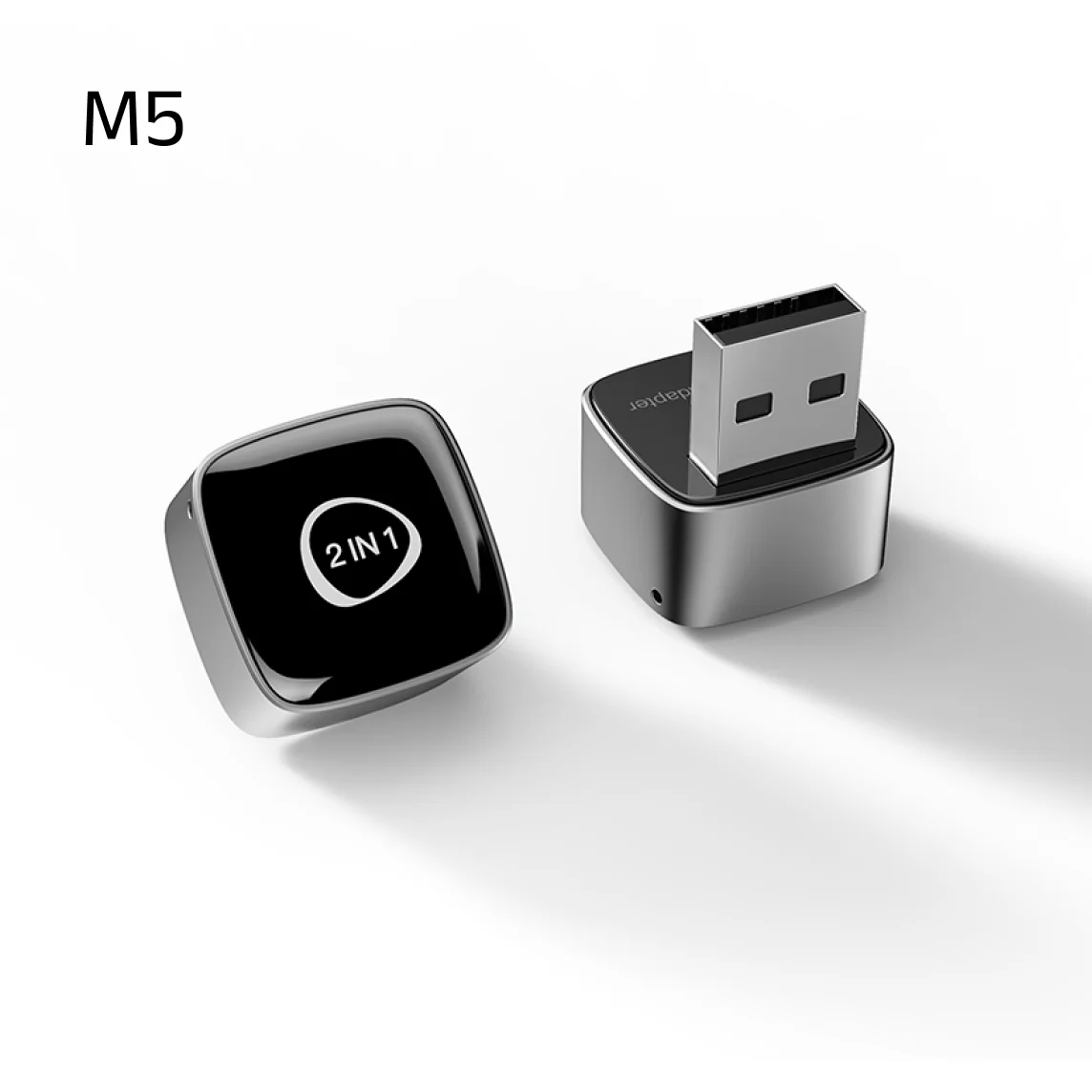
Wired CarPlay and Android Auto are standard in millions of cars, but plugging in a cable on every trip annoys owners. Wireless adapters solve that with a small dongle in the USB port, and they have become a steady, repeat-order product. They are also easy to get wrong. This guide covers how they work and what to check, using the Sournex M5 2-in-1 Wireless Adapter as the example.
How wired-to-wireless adapters work
The adapter plugs into the car’s USB port and behaves to the car like a phone connected with a cable. On the other side it talks to the phone over Bluetooth for pairing and WiFi for the data stream. When the owner gets in the car, the phone and adapter reconnect automatically and the usual CarPlay or Android Auto interface appears on the car’s screen, with the original buttons and touch screen still working.
M5 at a glance
| Item | M5 |
|---|---|
| Function | Converts wired CarPlay or wired Android Auto to wireless (2-in-1) |
| CPU | Allwinner Cortex-A7 |
| WiFi / Bluetooth | 2.4G + 5G 802.11 a/b/g/n/ac / Bluetooth 5.0 |
| Power | 5V ±0.2V, 1.0A; 1.5W |
| Phone support | CarPlay: iPhone 6+/iOS 10+; Android Auto: Android 11+ |
| Car requirement | Factory wired CarPlay or wired Android Auto |
| Update | Online firmware update |
| Housing / colors | Metal + ABS; silver and black |
| Certification | CE, FCC, RoHS |
Who it is for — and who it is not
- Works for: cars that already have factory wired CarPlay or Android Auto and an owner with a compatible phone.
- Does not work for: cars with no CarPlay / Android Auto, or cars that already have wireless CarPlay (they do not need it).
- Does not turn the car into a smart system: it only wirelessly relays CarPlay / Android Auto. If a buyer wants apps, video or a 4G connection, they need a different product — see the CarPlay AI box guide.
Where returns come from
Most returns have the same causes: the car does not support the right wired mode, the phone is too old, the dongle is plugged into a USB port that is charge-only, or the owner expected video apps. Put a short compatibility checklist at the top of your listing and a clear photo of the right USB port in your instructions.
Things to test on every sample
- Startup time — how long from engine start to the interface appearing.
- Automatic reconnection after switching the car off and on, and after the phone is locked.
- Audio and call quality, and any dropouts over a 30-minute drive.
- Behavior with both an iPhone and a recent Android phone.
- Heat after a long drive; it is a small metal-and-plastic housing.
- The firmware update process, and whether a failed update can be recovered.
Positioning and margin
The M5 is a low-cost, high-volume accessory. Packing is 150 pieces per carton (48 × 27 × 27 cm), lead time is about 10 days for 1–500 pieces, and larger quantities are negotiated. Margin comes from branded packaging and bundle sales rather than from the device alone — use the landed cost and margin guide. A custom printed gift box, user manual and warranty card are available; see OEM and private-label services.
A size note: product materials list 25 × 20 × 20 mm — check the actual size on your sample and with your supplier before printing packaging artwork. Read why sample orders matter first, and plan your checks using the pre-shipment inspection guide.
FAQ
Does it work with every car?
It needs factory wired CarPlay or wired Android Auto. Compatibility varies by car; test the models you target.
Which phones are supported?
iPhone 6 and above on iOS 10.0+ for wireless CarPlay; Android 11.0+ for wireless Android Auto.
Does it keep the original buttons and touch screen?
Yes, the original car controls keep working.
Can the software be updated?
Yes, it supports online firmware updates.
What is the MOQ?
10 pcs for the standard product, lead time about 10 days for up to 500 pcs.
Ready to try one? View the M5 wireless adapter or send an inquiry using how to write an effective inquiry.